

| Per GB | |
| Data Transfer | $0.01 |
| Per 10,000 Requests | |
| Data Transfer | $0.0075 |
Edgeport CDN leverages a highly interconnected global network, featuring massive bandwidth capacity, advanced caching and acceleration strategies. That allows to propagate content across several geographically distributed nodes and then transfers content from the node that is closest to the user, minimizing packet movement and increasing speed and efficiency. There’s implemented a fast-routing IP Anycast technology for powerful and lightning-fast performance over the globe.
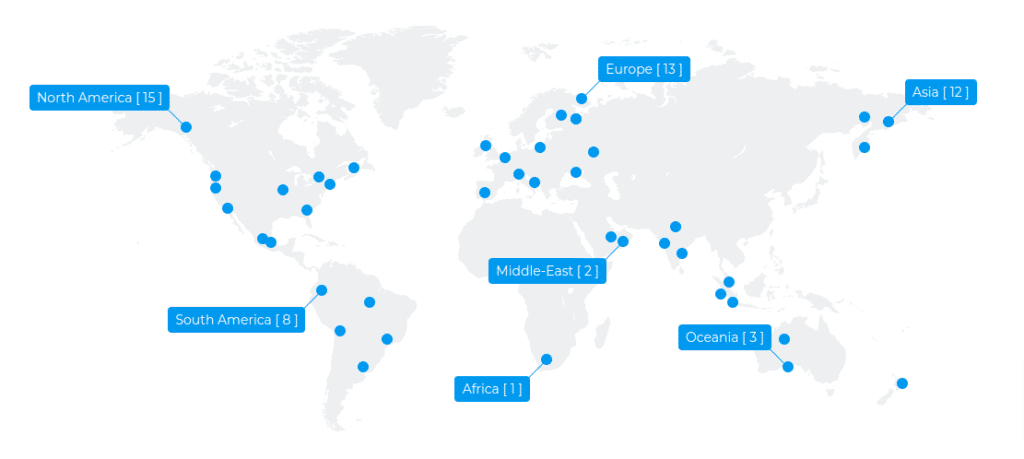
POPs stand short for Point Of Presence. PoPs are distributed data centers responsible for communicating with users. They reduce request time by bringing the content closer to the website’s visitor at the edge. More POPs a CDN provides the better performance your application gains.
Edgeport utilizes one of the largest global network of PoPs that cache copies of your web-resources content close to your viewers. Once viewer initiates a request, the CDN immediately starts caching static assets to the closest PoP and for assets not cached the Edgeport keeps persistent connections with your origin servers in order to deliver dynamic content to the viewer in the shortest terms.
Customer agrees not to use Edgeport CDN for the following activity: spam, illegal adult, mining, gambling and any kind of fraud and malicious activity. Customer agrees not to use Company services related to the Licensed Product to store, distribute, reference domain names, or distribute any material protected by trademark, copyright, patent, or other intellectual property right without owner’s consent or proper authorization. In case such activity takes place Company has the right to stop providing Licensed Product and related services without refunds. Already paid funds are used to reimburse the possible damage. Customer has to react to abuses in 24 hours’ time, otherwise the Licensed Product and related services may be temporarily or permanently disabled.